



 Vehicle
 Mobiles
 Electronics
 Fashion
 Properties
 Home-Appliance
 Jobs
Jobs
 Services
 Furniture
 Pets
Pets


The Ultimate Guide to Beauty Products: What You Need to Know
Apr 30, 2026
✔️ Digital Organization – Convert paper documents into digital files for easy storage, retrieval, and sharing 💻.
✔️ High-Quality Image Capture – Scan photos, artwork, and documents in crisp detail with accurate colors and clarity 📸.
✔️ Efficiency Boost – Quickly digitize multiple documents, reducing clutter and saving time in busy workplaces 🏢.
✔️ Document Preservation – Protect important documents and photos from wear, tear, or accidental loss by creating digital copies 📂.
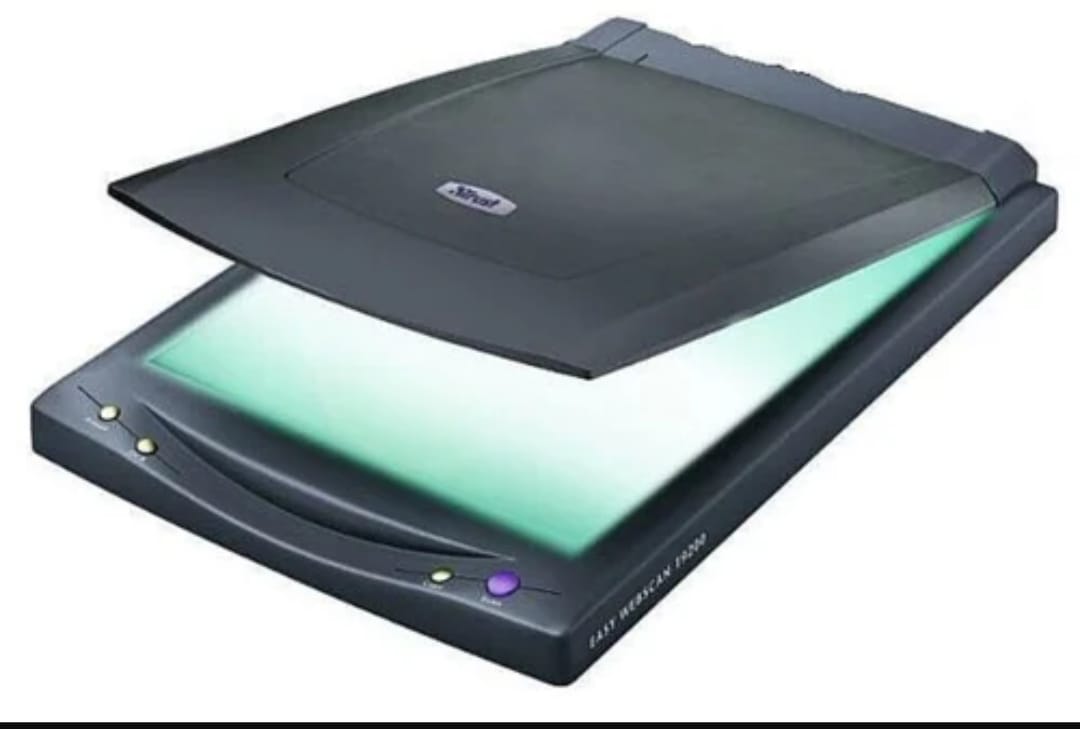
🌟 Flatbed Scanners
Ideal for scanning books, photos, and delicate documents. Flatbed scanners provide high-quality, detailed scans with precise color reproduction 🎨.
🌟 Sheetfed Scanners
Designed for high-volume document scanning, these scanners automatically feed pages for quick digitization. Perfect for offices with heavy document workloads ⚡.
🌟 Portable Scanners
Compact and lightweight, portable scanners allow on-the-go scanning of documents and receipts. Ideal for travelers or mobile professionals ✈️.
🌟 Photo Scanners
Specialized scanners for photographs and negatives, offering high resolution and color accuracy for professional-quality photo reproduction 📷.
🌟 Handheld Scanners
Useful for scanning books, artwork, or large surfaces that cannot fit in a traditional scanner. Flexible and convenient for creative projects 🖌️.
✔️ Resolution (DPI) – Higher DPI ensures sharper scans, especially for photos and detailed graphics. Look for at least 600 DPI for standard use and 1200 DPI+ for photo scanning 📄.
✔️ Color Accuracy – Essential for scanning photos, graphics, or artwork to maintain true-to-life colors 🎨.
✔️ Speed – Check pages per minute (PPM) if scanning large volumes of documents.
✔️ Connectivity – USB, Wi-Fi, or cloud-enabled scanners offer flexibility for modern digital workflows 🌐.
✔️ Document Size Compatibility – Ensure your scanner handles the paper sizes you need (A4, A3, receipts, photos, etc.) 🧾.
✔️ OCR (Optical Character Recognition) – Converts scanned text into editable digital files, boosting productivity for office tasks 📝.
🧹 Keep Glass Clean – Dust or smudges on the scanning surface can affect image quality.
🔧 Regular Calibration – Ensures accurate colors and sharpness in scanned documents.
📦 Store Properly – Protect your scanner from dust, moisture, and extreme temperatures.
💡 Update Software – Keep scanning software and drivers up to date for best performance.
Scanners are more than just machines — they are tools for efficiency, organization, and creativity.
Whether you need to digitize photos, preserve important documents, or streamline office workflows, the right scanner can make a significant difference in productivity and convenience 📄✨.
👉 Ready to bring your documents and photos into the digital world?
📞 Explore our range of high-quality scanners today and find the perfect solution for your needs 🌟🖨️.
CLICK HERE CLICK HERE