



 Vehicle
 Mobiles
 Electronics
 Fashion
 Properties
 Home-Appliance
 Jobs
Jobs
 Services
 Furniture
 Pets
Pets


The Ultimate Guide to Beauty Products: What You Need to Know
Apr 30, 2026
✔️ Quick Digital Access – Scan contracts, invoices, or school projects and access them anytime on your computer or cloud storage 💻.
✔️ Enhanced Organization – No more messy piles of paper. Scanned files are easy to sort, label, and retrieve 📂.
✔️ Collaboration Made Easy – Share scanned documents instantly with colleagues, clients, or family members 🌐.
✔️ Protect Important Documents – Preserve certificates, legal papers, or old photos digitally, safeguarding them from damage or loss 🛡️.
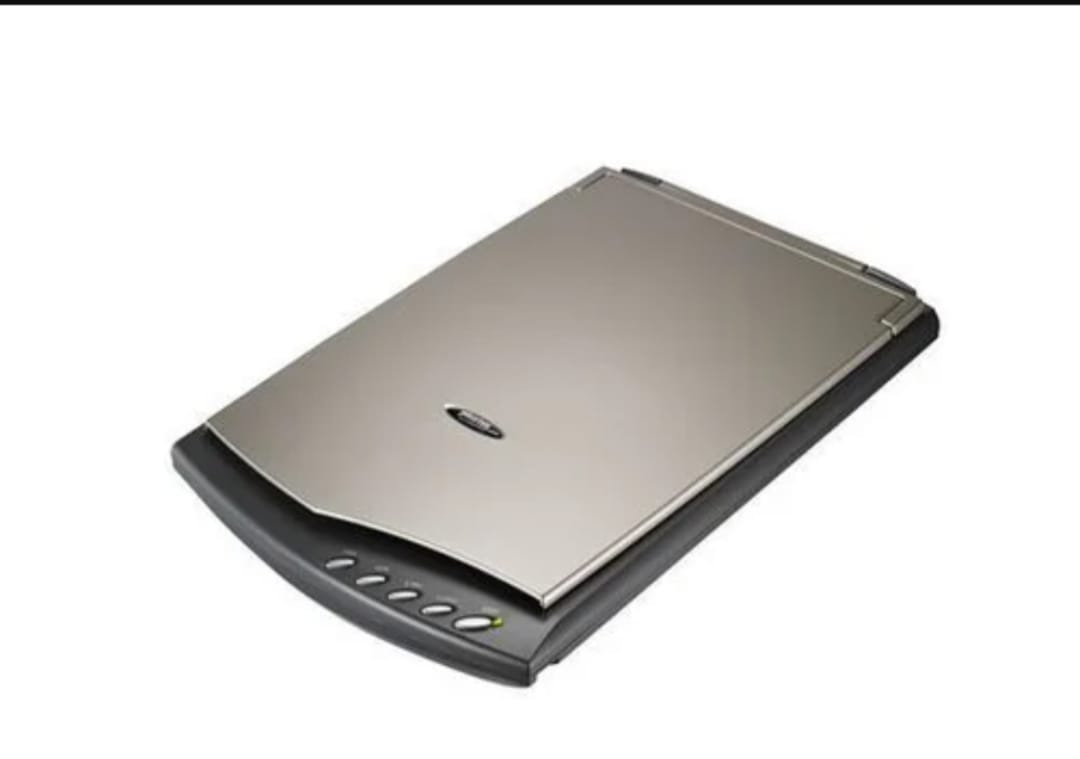
🌟 Flatbed Scanners
Perfect for photos, artwork, or books. They provide detailed, high-resolution scans with excellent color accuracy 🎨.
🌟 Sheetfed Scanners
Ideal for high-volume document scanning in offices. They automatically feed pages, saving time and effort ⚡.
🌟 Portable Scanners
Compact and lightweight, great for scanning receipts, contracts, or travel documents on the go ✈️.
🌟 Photo & Film Scanners
Designed to capture photographs, slides, and negatives with precision, making them perfect for creative projects 📸.
🌟 Handheld Scanners
Flexible and mobile, ideal for scanning large or irregular surfaces where traditional scanners cannot fit 🖌️.
✔️ High Resolution (DPI) – Ensures crisp, clear scans, especially for photos or detailed documents.
✔️ Color Accuracy – Essential for photos and artwork.
✔️ Speed & Efficiency – Pages per minute (PPM) matter for high-volume scanning.
✔️ Connectivity Options – USB, Wi-Fi, and cloud-enabled scanners for flexible access 🌐.
✔️ OCR (Optical Character Recognition) – Converts scanned text into editable files for easier use 📝.
✔️ Paper Compatibility – Check if your scanner handles the sizes and materials you need (A4, photos, receipts) 📄.
🧹 Keep Surfaces Clean – Dust and smudges reduce scan quality.
🔧 Update Software – Keeps your scanner compatible and running efficiently.
📦 Store Carefully – Avoid moisture and dust exposure.
💡 Use Recommended Supplies – Protect your scanner and maintain high-quality output.
From digitizing personal memories to managing business workflows, scanners have evolved into smart tools:
Wireless Scanning – Print and scan from anywhere in your home or office.
Cloud Integration – Directly save scans to Google Drive, Dropbox, or OneDrive.
All-in-One Devices – Scan, print, and copy in one machine, reducing clutter.
A scanner is more than just office equipment — it’s a tool for organization, creativity, and productivity. It simplifies work, preserves important memories, and bridges the gap between physical and digital worlds 📄✨.
👉 Upgrade your workflow today and discover scanners designed for speed, quality, and convenience.
CLICK HERECLICK HERE